

Cartoon Shows for Breaking the Clip Scrolling Habit
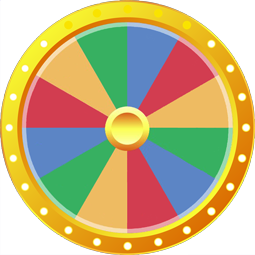
Cartoon Shows Wheel is an online entertainment wheel built from 24 equally sized segments, among them SpongeBob, Avatar Aang and Batman TAS. Every spin returns a single result.
24 Cartoons Sorted by Style and Pacing
The 24 slices on this wheel cover four broad styles of animation, so every spin gives you a full series to watch:
- Story-driven quests and mysteries (8): Adventure Time, Gravity Falls, Owl House, Amphibia, Steven Univ, Avatar Aang, Korra, and Voltron.
- Action, heroes, and team adventures (7): Batman TAS, Teen Titans, Ben 10, Star Wars CW, Ninja Turtles, Ninjago, and Miraculous.
- Comedies and classic capers (7): SpongeBob, Gumball, Regular Show, Loud House, Simpsons, Rick & Morty, and Scooby Doo.
- Gentle family favorites (2): Bluey and My Little Pony.
Times to Spin for a Full Episode
- Stopping a clip feed after work or school: When you catch yourself watching short scenes from Gravity Falls or Regular Show in a feed, spin once and start a full episode from the beginning.
- Picking a show for dinner or weekend mornings: When a group cannot agree between Bluey, SpongeBob, and Scooby Doo, one spin settles what goes on the screen.
- Moving from one finished series to the next: After wrapping up Avatar Aang or Owl House, spin for your next watchlist pick so you do not spend an hour browsing menus.
- Choosing background noise while your hands are busy: Spin for an episodic comedy like Gumball, Simpsons, or Loud House while you draw, cook, or fold laundry.
Customizing the List for Your Watchlist
You can tailor the 24 slots to match what you actually want to watch right now. A few quick swaps work well:
- Match your streaming subscriptions: Cut any shows missing from your services and paste your saved watchlist into Text Mode, one title per line.
- Build a superhero and action mix: Keep Batman TAS, Teen Titans, Ben 10, and Ninja Turtles, drop slice-of-life picks like Bluey and Loud House, and add Justice League, Young Justice, or Spider-Man.
- Focus on serialized story arcs: Remove episodic comedies such as SpongeBob and Scooby Doo, then add Samurai Jack, She-Ra, or The Dragon Prince.
- Sample one episode per series: Open Settings and turn on the option to remove each winner after it is drawn so every spin gives you a fresh show.
If you want animated action with longer fight arcs, try the Shonen Anime Wheel. You can also use the Yes or No Wheel to decide whether to play one more episode, or browse the full list of wheels for other topics.
Which animated series are included on this cartoon wheel?
This wheel contains 24 popular animated shows spanning different eras and styles. You will find classic television staples like Simpsons, SpongeBob, and Scooby Doo, along with story-driven favorites such as Gravity Falls, Avatar Aang, and Batman TAS. It helps you settle on one complete episode instead of endlessly browsing short clips online.
Are adult cartoons like Rick and Morty included alongside kids shows?
Both all-ages shows and adult animation appear on this list. It features preschool hits like Bluey alongside mature comedies like Rick & Morty and Simpsons, plus action series like Ninjago and Star Wars CW. If a title does not fit your household, you can delete it directly from the entry list before spinning.
Can I add my own cartoon shows to this wheel?
You can add new cartoon titles by typing them into the list next to the wheel. The wheel redraws instantly as you make changes. You can also switch to Text Mode to paste a complete list of titles at once, or import an existing file using formats like .csv, .txt, or .xlsx without registering an account.
How do I turn this into a 90s cartoons wheel?
Clear the current entries and paste a dedicated list of retro series like Rugrats or Animaniacs into Text Mode. You can turn on the option that removes each winner from the wheel, allowing you to run through a multi-show marathon without picking the same cartoon twice. The wheel saves automatically in your web browser.
More Entertainment wheels you might like
More wheels from the same category. Pick one and spin it in seconds.





Let unexpected music choices reset the room’s listening energy instantly