

Custom Restaurant Wheel Diet Friendly Dinner Plans
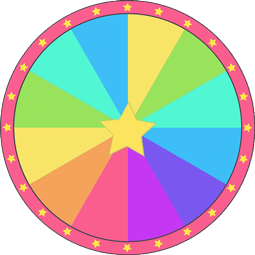
Custom Restaurant Wheel is a free random picker that holds 22 options such as Vegan Cafe, Soup Kitchen and Bento Spot. One spin lands on exactly one of them — no signup and no download.
Preset food spots on the wheel
The 22 preset options cover a wide range of dining styles, from clean eating to hearty comfort food:
- Health-focused and plant-based: Vegan Cafe, Salad Bar, Raw Food Hub, Organic Cafe, Gluten Free, Acai Shop, Juice Cafe, and Smoothie Bar.
- Savory and warm dinners: Grill House, Pasta House, Poke Bar, Soup Kitchen, Dim Sum, and Bento Spot.
- Noodles and broths: Ramen Shop and Noodle House.
- Cafes and sweet finishes: Coffee Shop, Tea House, Bakery, Pastry Shop, Dessert Bar, and Gelateria.
When to spin for dinner plans
- Mixed dietary preferences: When one person eats dairy-free, another avoids gluten, and someone else wants a quick bite, spin to pick a neutral category everyone can order from.
- Weeknight takeout fatigue: When you are too drained after work to scroll through delivery menus, let the wheel choose between fresh greens from a Salad Bar or hot broth from a Ramen Shop.
- Diet-friendly date nights: Couples trying to balance clean eating with a fun night out can spin between an Organic Cafe, Poke Bar, or Grill House without debating back and forth.
- Planning post-workout meals: Use the wheel to decide whether to hit a Juice Cafe for recovery fuel or a Bento Spot for balanced protein and rice.
Customizing the wheel for your local dining options
The default list works as a guide for broad food types, but you can tailor it to match your neighborhood and personal nutrition goals. If you follow a strict keto or low-carb diet, delete carb-heavy options like Pasta House, Bakery, and Gelateria. Replace them with local barbecue spots, seafood grills, or burger joints that offer lettuce wraps. For strict plant-based dining, clear out the Grill House and keep only the Vegan Cafe, Raw Food Hub, and organic bistros you actually visit.
You can switch to Text Mode to paste your personal list of local restaurant names in seconds. If you are picking dinners for several nights in a row, turn on the option to remove each winner after it is drawn so you do not land on the same place twice.
If you want other ways to solve dinner indecision, try the Dinner Wheel, explore global dishes with the International Food Wheel, or pick everyday meals using the Meal Wheel.
Which dinner options on this wheel fit vegan and gluten free diets?
Several presets cater directly to restrictive diets, including Vegan Cafe, Gluten Free, Organic Cafe, Salad Bar, and Raw Food Hub. If your group has specific requirements, you can edit the text list next to the wheel to delete entries that do not work or add specific dining spots. The wheel redraws instantly as you adjust the names.
Can I replace the preset food places with local restaurants?
You can replace any preset entry, such as Dim Sum or Grill House, with names of actual local eateries. Edit the list directly in the box beside the wheel, or use Text Mode to paste your own list at once, with one place per line. You can also import a spreadsheet file like .csv or .xlsx to load your choices.
How do I change the colours or theme of the restaurant wheel?
You can adjust the wheel colours and visual themes directly in the settings panel. The tool includes options to switch palette styles to match your preference. In the same settings area, you can also modify the spin length, adjust the rotation speed, and turn the ticking, winning, or losing sounds on or off. Slices update immediately.
Does this restaurant picker wheel work on a phone during dinner?
The wheel works in any web browser on mobile phones and tablets without needing to install an app. Anyone in your group can spin it on a mobile device while picking a spot like Ramen Shop or Bento Spot. An option can remove the winning place after a spin so you can narrow down multiple dining choices without repeats.
More Food wheels you might like
More wheels from the same category. Pick one and spin it in seconds.