

Fast Food Decision Wheel for a Clear Dinner Choice
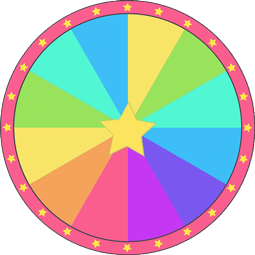
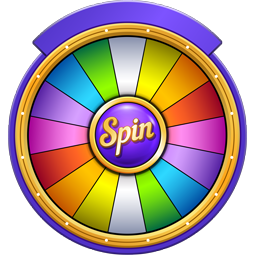
Fast Food Decision Wheel is a free random picker that holds 24 options such as Burger, Potato Wedges and Falafel Wrap. One spin lands on exactly one of them — no signup and no download.
What fast food picks are on the wheel
The wheel holds 24 classic takeout and drive-thru items, grouped across main handhelds, Tex-Mex picks, and crispy sides:
- Burgers, dogs, and sandwiches: Seven classic choices including Burger, Fish Burger, Slider, Hot Dog, Corn Dog, Sub Sandwich, and Pizza Slice.
- Wraps and Tex-Mex items: Six handhelds and plates such as Chicken Wrap, Falafel Wrap, Taco, Burrito, Quesadilla, and Nachos.
- Chicken bites and sides: Eleven snackable favorites including Nuggets, Popcorn Chick, BBQ Wings, Fries, Curly Fries, Chili Fries, Potato Wedges, Onion Rings, Mozza Sticks, Garlic Bread, and Spring Rolls.
When to spin for a fast food pick
- Splitting a late-night order: Two roommates or partners can spin once to settle on Pizza Slice or Taco without going back and forth over delivery apps.
- Choosing along a busy highway strip: On a road trip with four or five drive-thrus at the same exit, a quick spin picks between Burger, Chicken Wrap, or Sub Sandwich before you take the ramp.
- Planning casual game-night food: Hosts can land on shareable trays like BBQ Wings, Nachos, or Mozza Sticks when friends want finger food on the table.
- Breaking a takeout routine: Regulars who always default to Nuggets and Fries can let the wheel push them toward Falafel Wrap, Fish Burger, or Quesadilla.
Customizing the wheel for your local spots
Because the default list uses general food names, many people swap in the actual restaurants within delivery range or near their commute. You can also tailor the wheel for meatless takeout by removing options like Hot Dog, BBQ Wings, and Popcorn Chick, then adding veggie burgers or cheese pizza alongside Falafel Wrap and Spring Rolls. For late-night runs, trim the list down to places open past midnight and quick snacks like Slider and Curly Fries.
Switch to Text Mode to paste your own list of local spots one line at a time, then click the disk icon to save that custom setup in your browser for the next meal.
Need a beverage to go with your order? Try the Soft Drink Wheel. If you decide to cook at home or want broader meal ideas, browse the Dinner Wheel or the International Food Wheel.
What items are on the fast food decision wheel?
The wheel includes 24 popular fast food options, ranging from classics like Burger and Taco to sides like Mozza Sticks and Onion Rings. It also features alternatives such as Falafel Wrap and Spring Rolls. Each slice has an equal chance of winning via your browser's random generator, giving you an unbiased pick for dinner without needing an account.
Can I remove sides like Onion Rings to keep only main meals?
You can edit the list next to the wheel to delete sides like Onion Rings, Garlic Bread, or Curly Fries. As you delete or type new items, the wheel redraws immediately on your screen. You can also turn on the option to automatically remove each winning item after a spin if you are choosing a multi-course takeout meal.
How do I import a fast food spreadsheet into this wheel?
You can import a spreadsheet by uploading your .xlsx, .xls, .csv, .ods, or .txt file directly into the tool. Once uploaded, you simply select the exact sheet and column containing your food items to load them onto the wheel. The wheel works entirely in your browser, and your imported restaurant or meal data remains private on your device.
Is there a way to adapt this wheel for healthy weekday lunches?
Replace the fast food items in the side list with home-cooked options like salads, grain bowls, and soups. The wheel updates as you type, and you can switch to Text Mode to paste an entire lunch meal prep list at once. You can then save the custom wheel in your browser to plan healthy lunches on your phone all week.
More Food wheels you might like
More wheels from the same category. Pick one and spin it in seconds.