
Prize Wheel for Instant Rewards and Unpredictable Wins
Prize Wheel is a free spinner listing 8 options — Prize 1, Prize 5 and Prize 8 among them. Tap once and the pointer picks one at random.
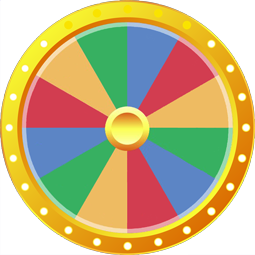
Eight numbered slots on the Prize Wheel
The wheel loads with 8 equal slices numbered in order from Prize 1 through Prize 8. You can keep the numbers and match them to a printed prize key next to your screen, or treat them as three simple tiers:
- Top rewards (Prize 1 and Prize 2): Hold these two spots for grand prizes or high-value items.
- Main rewards (Prize 3, Prize 4, Prize 5, and Prize 6): Use the four middle slices for everyday giveaways like gift cards, merch, or store credit.
- Small perks (Prize 7 and Prize 8): Keep the last two slots for stickers, snack packs, or a bonus spin.
Where people spin a prize wheel
- Trade show booths and retail counters: Shoppers or attendees spin after joining an email list to win branded tote bags, discount vouchers, or product samples on the spot.
- Classroom reward Fridays: Teachers let students take a turn at the end of the week for privileges like a homework pass, choosing a reading spot, or picking the afternoon game.
- Livestream subscriber giveaways: Hosts trigger a spin when chat hits a follower goal, awarding game codes, channel merch, or custom shoutouts live on air.
- Office sprint celebrations: Teams spin during Friday standups to hand out coffee cards, team lunch picks, or desk accessories after shipping a project.
Adapting the prizes to your event
Change the default prize labels to fit your crowd and stock. For a shop promotion, add entries like 10% Off, Free Tote, $5 Gift Card, and Mystery Bag, and list common items on two or three slices to stretch your top inventory. For a birthday party or school fair, narrow the list to four or six options such as Sticker Pack, Ring Pop, Pencil Set, and Plush Toy, or drop in a couple of Spin Again slices to keep turns moving. When running the wheel at an in-person booth or classroom board, use the full screen button so the pointer fills the display. For live streams, use the Stream / OBS overlay link to show the spin directly over your video feed.
Pair your giveaway with the Wheel of Names to pick who steps up to spin, add a double-or-nothing tiebreaker with the Yes or No Wheel, or explore more spinners on the all wheels list.
How do I replace Prize 1 and Prize 2 with my own giveaway rewards?
You can edit the entries in the list next to the wheel, and the slices will redraw automatically as you type. Replace generic labels like Prize 1 through Prize 8 with specific rewards, discount codes, or raffle gifts. If you have an existing list, switch to Text Mode to paste items directly, or import a spreadsheet file.
Can I prevent Prize 3 from being picked more than once?
You can turn on the option to remove each winner from the wheel after it is drawn. This ensures an item like Prize 3 cannot be selected a second time during your giveaway. Every remaining slice maintains an equal chance of winning, as the browser's cryptographic random generator handles each subsequent spin.
Where can I change the colors and visual theme of the prize wheel?
You can adjust the colors and themes in the wheel settings menu. The tool lets you customize the appearance to suit your event, along with options to change the spin speed and duration. You can also turn ticking, win, and lose sound effects on or off without needing to create an account.
What should I do if I get an unwanted prize result?
You can simply spin the wheel again immediately if you or your participants want a redraw. If a particular outcome like Prize 8 should no longer be an option, you can delete it from the entries list beside the wheel. Any edits update the wheel instantly without refreshing the webpage.
More Games wheels you might like
More wheels from the same category. Pick one and spin it in seconds.

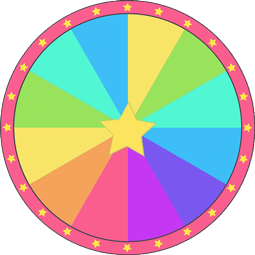
Break repetitive Sims 4 story loops with unexpected narrative direction


Spin random challenge wheel and trigger quick playful home movement