

Raffle Wheel – Random Winner Picker
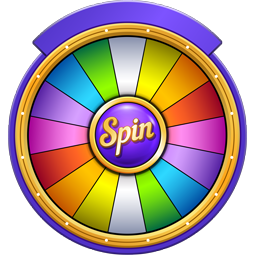
Raffle Wheel is a free random picker that holds 20 options such as Ticket 1, Ticket 11 and Ticket 20. One spin lands on exactly one of them — no signup and no download.
What comes on the default raffle wheel
The wheel holds 20 numbered entries arranged in sequence from Ticket 1 to Ticket 20. For quick scanning on a screen, the first ten slices cover Ticket 1 through Ticket 10, and the remaining ten cover Ticket 11 through Ticket 20. Every slice displays its full ticket label so guests or viewers can read the winning number at a glance.
Common ways to run a ticket draw
- School and club fundraisers: Organizers hand out numbered paper stubs at a bake sale or silent auction, then project the wheel on a screen to draw basket winners between announcements.
- Live stream giveaways: Hosts assign ticket numbers to viewers who enter a chat keyword or claim a channel reward, then spin on stream to pick who receives a gift card or game code.
- Office parties and team lunches: Each staff member takes a numbered slip from a jar at the door, and the organizer spins once per prize at the end of the gathering.
- Classroom prize drawings: Teachers give students numbered raffle slips for completed assignments during the week and spin the wheel on Friday afternoon for small desk prizes.
Adapting ticket numbers for your event
Paper raffle rolls often start above one, so you can edit the slice labels to match the physical stubs in your hand. Rename the entries with a roll prefix such as #101 through #120, or combine colored stub batches by listing Red 1 through Red 10 alongside Blue 1 through Blue 10. If only 14 stubs were handed out before the draw begins, delete Ticket 15 through Ticket 20 so unsold numbers cannot win. You can also add duplicate entries for a ticket number when a buyer earns extra chances in a tiered fundraiser.
To build a custom number sequence quickly, use Fast fill with your first number, last number, and step value, such as 500 to 540 by 1 or 2. If you already track sold ticket codes in a spreadsheet, you can import your list directly from a .csv, .xlsx, or .txt file.
If you only need plain digits without ticket prefixes, try the Number Wheel, or use the Random Number Generator for instant single-number draws. You can also browse all wheels to set up a matching prize or game spinner for the same event.
How to avoid drawing the same ticket number twice?
You can enable the option to remove each winner from the wheel after it is drawn. If Ticket 5 wins the first prize, it disappears from the list, leaving the remaining tickets like Ticket 1 and Ticket 20 for subsequent rounds. All slices remain equally sized, and the wheel uses cryptographic random generation to pick each winner.
Can I replace Ticket 1 through Ticket 20 with participant names?
You can replace the default ticket numbers by editing the list next to the wheel or pasting names into Text Mode. The wheel redraws instantly as you type. You can also import names directly from files such as .csv, .xlsx, or .txt, selecting the exact column you want to load for your raffle drawing.
What is the maximum number of tickets I can add to this wheel?
There is no fixed limit on how many tickets you can add. The wheel accommodates as many entries as you need, though the slice labels will get smaller as your list expands. This allows you to expand beyond Ticket 20 to hundreds of tickets for larger giveaway events.
Does the raffle wheel work on a mobile phone?
The raffle wheel works on mobile phones and tablets directly in your web browser without requiring an account. You can spin the wheel on your phone at an in-person event, adjust sound effects like ticking or winning chimes, and change the spin speed and duration to suit your presentation.
More Random wheels you might like
More wheels from the same category. Pick one and spin it in seconds.




Generate one random letter instantly for faster word game rounds