
Writing Prompt Wheel – Random Story Ideas
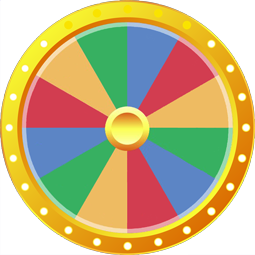
Creative Writing Picker Wheel is a free spinner listing 12 options — Lost City, Last Train and Old Letter among them. Tap once and the pointer picks one at random.
The 12 Story Ideas on This Wheel
This wheel holds 12 short two-word prompts built to start a scene quickly. They split evenly into three story elements:
- Places and portals: Lost City, Mirror World, Hidden Door, and Last Train establish an immediate setting or threshold.
- Objects and clues: Forest Map, Gold Key, Old Letter, and Magic Pen hand your main character a concrete item to investigate or use.
- Twists and mysteries: Time Loop, Secret Twin, Moon Secret, and Silent Voice bring a sudden conflict, character trait, or unexplained event.
When Writers and Teachers Use This Spinner
- Ten-minute classroom warmups: English teachers project the wheel before a lesson and ask the whole class to draft an opening paragraph from the same prompt, like Old Letter or Last Train.
- Unsticking a slow chapter: Novelists stuck mid-draft spin for an unexpected prop or event, such as Gold Key or Hidden Door, to move the next scene along.
- Writing group sprints: Critique clubs and local meetups spin once at the start of a 20-minute timer so everyone writes a piece from the same seed.
- Flash fiction practice: Solo writers pick a strict cap, like 500 words, and challenge themselves to center the whole story on Magic Pen or Time Loop.
Tailoring the Prompts to Your Genre
The default 12 options lean toward fantasy and mystery, so swapping a few entries lets you fit any genre. For grounded contemporary fiction, remove Magic Pen, Mirror World, and Time Loop, and add realistic sparks like Missing Receipt, Wrong Address, or Family Secret. For sci-fi or horror, keep Time Loop and Silent Voice, then add prompts such as Empty Space Station, Dead Signal, or Locked Basement.
To swap out prompts quickly, open Text Mode and paste your own list with one idea per line. If your writing group plans several rounds in one sitting, turn on the setting that removes each winner after it is drawn so nobody lands on the same prompt twice.
If you want genre-specific ideas, try the Fantasy Writing Roulette Wheel for deeper worldbuilding tropes, use the Yes or No Wheel to settle quick plot decisions, or browse the full list of wheels for more brainstorming tools.
Which story prompts are on this creative writing wheel?
This wheel features twelve story starter prompts including Lost City, Time Loop, Hidden Door, and Magic Pen. You can use these ideas directly or edit the list next to the wheel to add your own plot hooks. The wheel redraws as you type, and you can also paste an entire list at once using Text Mode without creating an account.
Can I combine two writing prompts like Time Loop and Lost City?
You can combine prompts by spinning twice and writing both ideas into one story. If you land on Time Loop and then Last Train, blend them together. You can enable the option that removes each winner after a spin so the same prompt cannot be drawn twice, or adjust the spin length and speed in the wheel settings.
How do I change the colors or theme of the writing wheel?
You can adjust the wheel colours and visual themes directly in the settings menu. Open the settings to switch themes, pick alternative colour palettes, or turn the ticking and win sounds on or off. Any changes you make will display immediately on the wheel, and the tool remains free to use on both desktop browsers and mobile devices.
What should I do if I get a writing prompt I dislike?
Simply spin the wheel again or delete the unwanted prompt from the list. If an idea like Secret Twin or Silent Voice does not appeal to you, you can remove it in the entry list next to the wheel, which updates instantly. The browser's cryptographic random generator will pick a different prompt on your next spin.
More Education wheels you might like
More wheels from the same category. Pick one and spin it in seconds.

Randomly select a student while keeping classroom participation balanced